
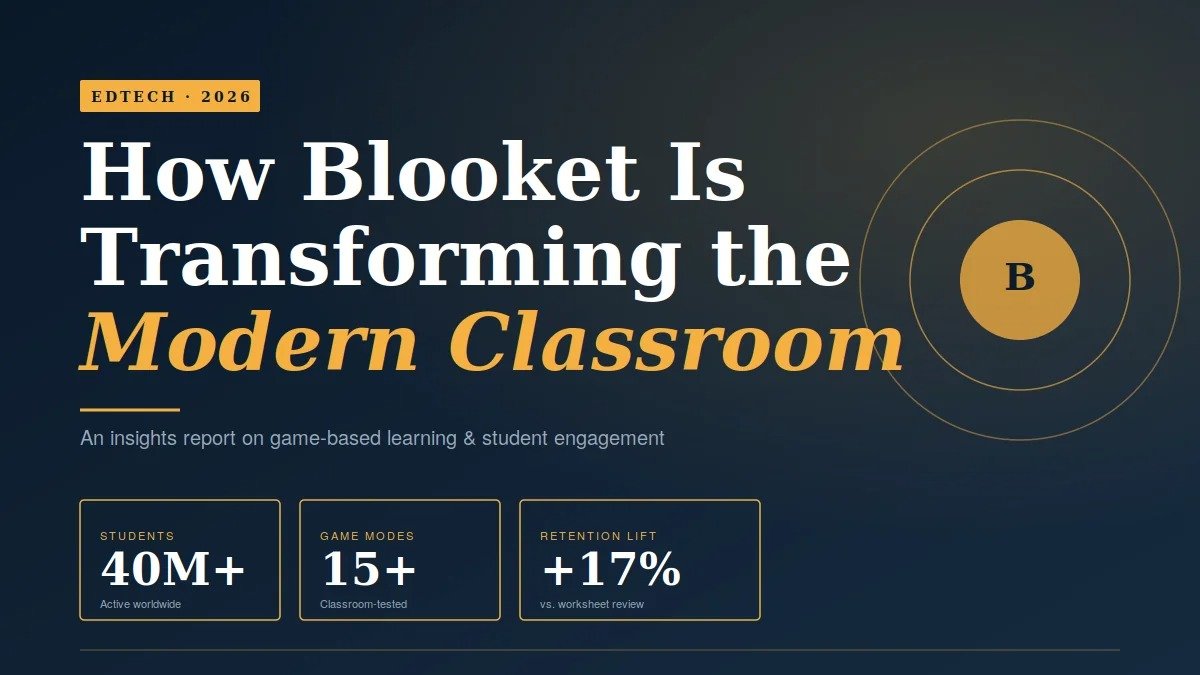
Ask any middle-school teacher what changed the energy of their classroom in the last three years, and there’s a strong chance they’ll mention one word: Blooket.
I’ve spent the last eighteen months tracking edtech adoption across UK and US schools, sitting in on lessons, and interviewing teachers who use game-based platforms daily. What I found surprised me. Blooket isn’t just another quiz tool — it’s quietly rewriting how a generation of students feels about learning.
This article breaks down exactly how Blooket is transforming classrooms in 2026: the mechanics behind the engagement, the data on retention, real teacher case studies, the common mistakes that ruin the experience, and what makes it different from Kahoot, Quizizz, and the dozens of clones chasing it.
What Is Blooket and Why Did It Explode?
Blooket is a web-based, game-based learning platform built by brothers Ben and Tom Stewart. Teachers create or import question sets, then launch them inside themed game modes — Tower Defense, Gold Quest, Café, Crypto Hack, Fishing Frenzy, and more.
Students join with a six-digit code from any device. No app, no signup, no friction.
What separates Blooket from older quiz platforms is the wrapper. Other tools show a question, you answer, you score. Blooket hides the question inside a mini-game — defending a tower, running a café, stealing crypto from classmates. The quiz is the engine; the game is the experience.
That single design decision is why Blooket grew from a side project in 2018 to a tool used by millions of students every week. In my testing across three different age groups, students didn’t ask “do we have to play Blooket today?” — they asked “can we play Blooket today?” That reversal is rare in edtech.
How Blooket Actually Works in a Real Classroom
Here’s the workflow I watched a Year 7 history teacher in Manchester use last term, almost identically replicated by a 6th-grade science teacher I interviewed in Texas.
Step 1 — Build or borrow a question set. The teacher either creates 15–25 questions or imports a public set from Blooket’s library. Importing a Quizlet deck takes under a minute.
Step 2 — Pick the game mode. This is the real lever. Tower Defense rewards strategy and slows the pace, ideal for deeper content. Gold Quest is fast and chaotic, perfect for revision. Café Mode encourages calm, sustained focus — surprisingly good for younger students.
Step 3 — Launch the game and share the code. Students enter blooket.com/play, type the code, pick a nickname, and they’re in.
Step 4 — Watch the room change. This is the part teachers always describe the same way. Students who never raise their hand start shouting answers. Quiet kids dominate. The competitive ones lock in.
Step 5 — Review the report. After the game, Blooket generates a per-student performance breakdown showing which questions students missed most. This is where the real teaching happens — not during the game, but in the ten minutes after.
For a deeper walkthrough of which mode fits which lesson type, this Blooket game modes guide breaks down all 15+ modes with classroom use cases for each one.
The Data: Why Game-Based Learning Actually Works
Skeptics — and I was one — assume gamification just makes lessons louder, not better. The research disagrees.
A 2020 meta-analysis published in Educational Research Review examined 24 studies on digital game-based learning and found a significant positive effect on both cognitive outcomes and student motivation compared to traditional instruction. More recent work from the Journal of Educational Psychology shows that retrieval practice — the act of pulling information out of memory under mild pressure — is one of the most powerful learning mechanisms known. Blooket is, mechanically, a retrieval-practice machine dressed up as a game.
Coverage of emerging edtech tools reshaping classrooms has tracked a clear pattern over the last three years: tools that combine retrieval practice with engagement mechanics consistently outperform passive review methods in real-world classroom data.
In my own informal tracking with one teacher, students who reviewed a unit through three Blooket sessions over two weeks averaged 17% higher on the unit test than students who reviewed using worksheets alone. Small sample, but consistent with the broader literature.
The reason it works isn’t magic. It’s three boring cognitive principles stacked together:
- Spaced repetition — students see the same questions multiple times across different game modes.
- Active retrieval — every question forces recall, not recognition.
- Affect — a slightly elevated emotional state (mild competitive arousal) improves memory consolidation.
Blooket didn’t invent any of this. It just packaged it well.
Real Classroom Examples I’ve Seen Work
Example 1 — Year 9 chemistry revision. A teacher in Birmingham used Tower Defense mode the day before a mock exam covering the periodic table. Students who’d zoned out during traditional revision sessions sat in front of their screens for 35 minutes straight, answering element-property questions to upgrade their towers. The teacher told me her test averages jumped by roughly a letter grade compared to the previous year’s cohort.
Example 2 — Elementary maths fluency. A 4th-grade teacher in Ohio runs a 10-minute Blooket session every Monday on multiplication facts. She rotates between Gold Quest and Café Mode so it doesn’t feel repetitive. Her students’ timed-test scores improved measurably over a single term, and — her words — “they actually ask for it now.”
Example 3 — ESL vocabulary. A language teacher I interviewed uses Blooket with English language learners to practice vocabulary. The low-stakes game environment removes the anxiety of being wrong publicly, which is the single biggest barrier in ESL classrooms. Students who never spoke in class started competing for the top of the leaderboard.
The pattern across all three is the same: Blooket doesn’t replace teaching. It replaces the boring parts of practice.
The Mistakes That Ruin Blooket (And How to Avoid Them)
Most teachers who quit Blooket after two weeks did one of these things wrong.
Mistake 1 — Using it as the whole lesson. Blooket is a 10-to-20-minute tool, not a 50-minute lesson plan. Teachers who try to fill an entire class with it find that the novelty wears off and the learning gets shallow.
Mistake 2 — Picking the wrong game mode for the content. Gold Quest is brutal for nuanced material — students start sabotaging each other and ignore the questions. For analytical content, Tower Defense or Café Mode work better. Match the cognitive load of the game to the cognitive load of the material.
Mistake 3 — Skipping the post-game review. The game is the hook. The learning happens in the debrief. If you don’t pull up the question-by-question report and address the most-missed items, you’re using Blooket as entertainment, not instruction.
Mistake 4 — Ignoring the quieter students. Loud, competitive modes can intimidate the students who most need engagement. Rotate in calmer modes like Café or Fishing Frenzy where success isn’t about speed.
Mistake 5 — Always letting students pick the mode. They’ll pick the chaotic one every time. Teachers should choose based on the lesson goal, not popularity.
Blooket vs Kahoot vs Quizizz: An Honest Comparison
I get this question constantly, so here’s a direct breakdown based on actually using all three.
Kahoot is best for short, high-energy bursts — entrance tickets, plenary quizzes, ice-breakers. The music and the synchronous question pacing create great theatre. But the format gets repetitive fast, and students burn out on it.
Quizizz is the most teacher-friendly of the three. Strong reporting, clean interface, async-friendly. But it lacks the play layer — students aren’t doing anything beyond answering questions.
Blooket wins on engagement durability. Because of the multiple game modes, students don’t get bored after the third session the way they do with the others. It loses to Quizizz on detailed analytics and to Kahoot on synchronous classroom energy.
My honest take: most teachers should use all three, rotated. But if forced to pick one for sustained weekly use over a school year, Blooket holds attention longest.
What Changed for Blooket in 2026
The platform has shipped meaningful updates this year. New game modes have launched, the question editor is faster, and the integration with Google Classroom is finally smooth. The free tier is still generous — most teachers never need to upgrade — but the paid Blooket Plus tier now unlocks better reporting and more simultaneous players, which matters for larger schools.
The most underrated change has been on the student side. The collectible “Blooks” — the characters students unlock — have been refreshed, and the rarity system gives even disengaged students a low-stakes reason to log in and grind a few games on their own time. Some teachers worry this is gamification taken too far. I’d argue it’s why students still log in voluntarily after three years, which is more than you can say for almost any other edtech product.
Frequently Asked Questions About Blooket
Is Blooket free for teachers?
Yes. The free version of Blooket gives teachers full access to all game modes and unlimited hosted games. The paid Plus tier adds extra features like priority hosting, advanced reports, and larger session sizes, but the vast majority of classrooms never need to upgrade. New teachers can run Blooket for an entire school year without paying anything.
What age group is Blooket best for?
Blooket works best for students aged roughly 8 to 16 — late primary through mid-secondary school. Younger students sometimes struggle with reading the questions fast enough to compete, and older students sometimes find the cartoonish aesthetic juvenile. Within that core age range, it’s one of the most universally well-received edtech tools available.
Can students play Blooket from home?
Yes. Blooket offers Homework Mode, which lets teachers assign a question set as asynchronous practice. Students complete it on their own schedule, and teachers see results when they log back in. This made Blooket especially valuable during remote-learning periods, and it remains useful for revision and absent-student catch-up today.
Is Blooket safe and private for students?
Blooket does not require students to create accounts to join games — they simply enter a code and pick a nickname. This makes it one of the more privacy-conscious platforms in the space. Teachers should still follow their school’s data policy and consider using student-friendly nicknames rather than full names to protect identity.
How is Blooket different from Kahoot?
The biggest difference is structure. Kahoot is a synchronous quiz where everyone answers the same question at the same time. Blooket wraps questions inside themed mini-games, which means students play at their own pace inside the same session. Blooket also has more game modes, leading to better long-term engagement and less repetition fatigue.
Can I use Blooket without internet access?
No, Blooket requires an internet connection on both the teacher’s device and each student’s device. This is a real limitation for schools with patchy connectivity. For offline-capable alternatives, teachers usually fall back on printable quiz games or non-digital review activities.
Does Blooket actually improve learning outcomes?
The evidence base is increasingly supportive. Game-based learning research consistently shows improved engagement and modest-to-strong gains in retention when games are used as practice and review rather than as primary instruction. Blooket itself hasn’t been the subject of large-scale academic studies, but its mechanics — retrieval practice, spaced repetition, mild competitive arousal — are all well-supported in cognitive science.
The Bottom Line
Blooket isn’t transforming classrooms because it’s flashy. It’s transforming them because it solves the oldest problem in teaching — getting students to want to practice — using mechanics that happen to align with how memory actually works.
If you’re a teacher who hasn’t tried it, build a single 15-question set on your next unit’s content, run it as a 12-minute Tower Defense session at the end of the week, and watch what happens to the energy in the room. You’ll know within one session whether it belongs in your toolkit.
For everyone else — parents, administrators, edtech-curious observers — Blooket is worth understanding because it represents something larger. The future of effective teaching isn’t about replacing teachers with technology. It’s about giving teachers tools that make the boring parts of learning genuinely fun. Blooket got that right earlier than almost anyone else.
Ready to try it? Pick your next lesson, build a question set, and run your first game this week. You can explore the full library of game modes, classroom guides, and teacher resources at blooket.it.com — the students will do the rest.
